

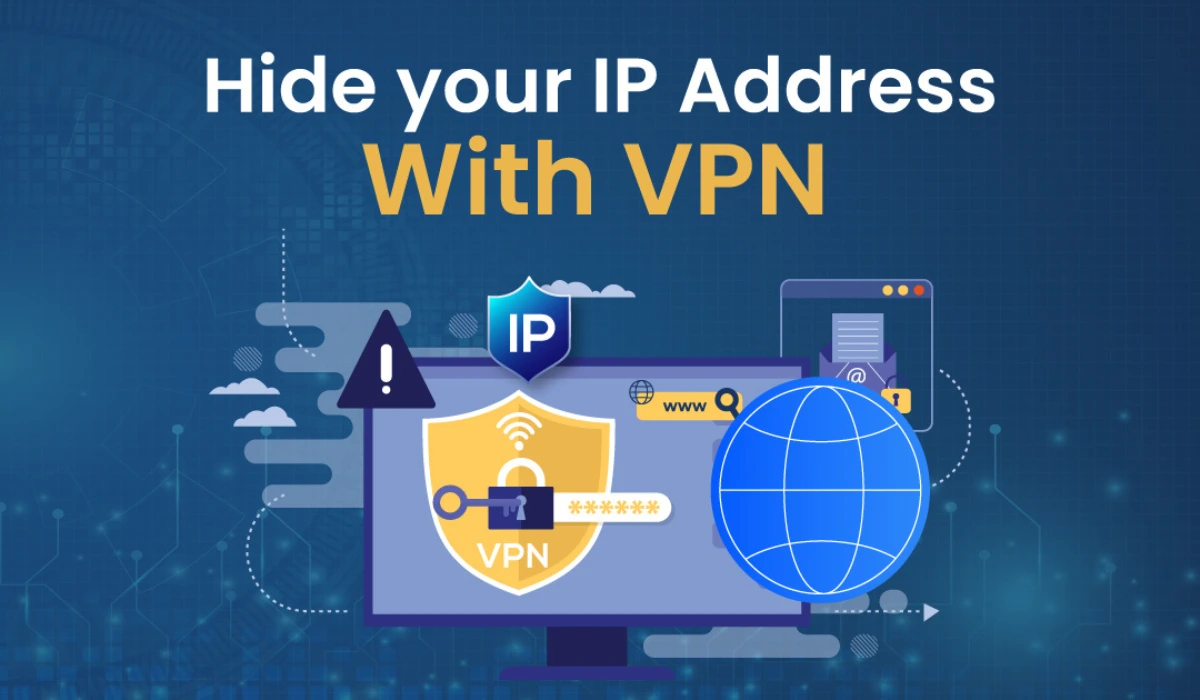
In today’s hyper-connected world, your IP address acts like a digital fingerprint, revealing your location, browsing habits, and even your ISP to websites, advertisers, and potential hackers. With rising concerns over data breaches and surveillance, learning how to hide or change your IP address is a smart move for better privacy. Whether you’re streaming geo-blocked content or just wanting to browse anonymously, this guide walks you through proven methods updated for 2025.
Before you begin: Want to see what your current IP address reveals about you? Try our free IP Checker Tool — it instantly shows your location, ISP, and more, so you can understand what websites see before you hide it.
I remember when I first started experimenting with online privacy tools back in my early freelancing days—I accidentally left my IP exposed while researching sensitive topics, and suddenly my inbox was flooded with targeted ads. It was a wake-up call. Don’t make that beginner mistake; let’s dive in and get you protected.
Why Hide or Change Your IP Address? Key Reasons in 2025
Hiding your IP isn’t just for tech wizards; it’s essential for everyday users. Your IP can expose your approximate location, online activities, and even make you vulnerable to cyberattacks. According to recent stats, 92% of Americans are concerned about their internet privacy, yet only 3% fully understand current privacy laws. Meanwhile, 85% of global adults want to do more to protect their online privacy, especially with over 150 data breaches reported in the first half of 2025 alone.
Other reasons include bypassing censorship (think restrictive countries like China), avoiding ISP throttling, and preventing tracking by big tech. In 2025, with AI-driven surveillance on the rise—tools like ChatGPT-5 now integrate with browsers for personalized tracking—staying hidden is more crucial than ever.
If you’re curious how visible your connection really is, test it using our IP Checker before choosing your privacy method.
Method 1: Use a VPN (The Most Reliable Option)
A VPN (Virtual Private Network) routes your traffic through a secure server, masking your real IP with one from another location. It’s like wearing a digital disguise. In 2025, VPN adoption has surged, with top providers like ExpressVPN leading for their transparency and U.S. server coverage in all 50 states.
Step-by-Step Guide to Hiding Your IP with a VPN
- 1. Choose a reputable VPN: Go for Proton VPN (great free tier with unlimited bandwidth) or NordVPN for advanced features like obfuscation to bypass blocks.
- 2. Download and install the app: Available on Windows, macOS, iOS, Android—most are one-click setups.
- 3. Sign up and connect: Select a server in your desired country, hit connect, and your IP changes instantly.
- 4. Verify: Instead of third-party sites, you can quickly confirm your IP swap with our IP Checker Tool — built right into our digital suite for accurate readings.
Pros: Full encryption protects all data, fast speeds for streaming (works with Netflix, Disney+), no-logs policies for true privacy.
Cons: Premium ones cost $5–12/month; free versions may have data limits or slower speeds.
I tested ExpressVPN while traveling last month, and it seamlessly switched my IP to a UK one, letting me access BBC iPlayer without a hitch. Just avoid free VPNs with shady ads—they’re often more risk than reward.
Method 2: Use a Proxy Server (Quick but Basic)
Proxies act as intermediaries, forwarding your requests without encrypting traffic. They’re simpler than VPNs but less secure. In 2025, residential proxies from providers like Bright Data are popular for web scraping and casual browsing.
Step-by-Step Guide to Changing Your IP with a Proxy
- 1. Find a proxy: Free options like ProxySite.com or paid ones from Oxylabs for reliability.
- 2. Configure your browser: In Chrome, go to Settings > Advanced > System > Open proxy settings, and enter the proxy IP/port.
- 3. Or use an extension: Install something like Proxy SwitchyOmega from the Chrome Web Store.
- 4. Test it: Browse a site and check your IP—voila, it’s changed.
Pros: Free and easy for quick tasks; doesn’t slow down non-proxied apps.
Cons: No encryption means data can be intercepted; often blocked by sites; unreliable for long sessions.
Beginners often pick the first free proxy they find, only to get hit with malware. Stick to trusted sources to avoid that pitfall.
Method 3: Use Tor Browser (For Maximum Anonymity)
Tor (The Onion Router) bounces your connection through volunteer nodes worldwide, hiding your IP in layers. It’s free and built for privacy, but slower due to its decentralized nature. In 2025, Tor’s popularity has grown amid global censorship spikes.
Step-by-Step Guide to Hiding Your IP with Tor
- 1. Download Tor Browser: From the official site (torproject.org)—it’s portable, no install needed.
- 2. Launch and connect: It auto-configures; click “Connect” to join the network.
- 3. Browse anonymously: Your IP is hidden, and you can access .onion sites on the dark web.
- 4. Exit when done: Close the browser to clear sessions.
Pros: Highly anonymous, free, resists tracking; great for journalists or activists.
Cons: Very slow (not ideal for video); exit nodes can be monitored; some sites block Tor traffic.
I’ve used Tor for deep research, and while it’s secure, streaming a YouTube video felt like dial-up days. Use it sparingly for high-privacy needs.
Other Ways to Hide Your IP Address
- 1. Public Wi-Fi: Switch to a cafe’s network for a temporary IP change. Pros: Free and easy. Cons: Insecure—hackers love open networks. In 2025, with 5G hotspots everywhere, it’s handy but risky without a VPN overlay.
- 2. Mobile Data: Toggle to your phone’s hotspot. Pros: Quick IP swap. Cons: Burns data; not truly hidden.
- 3. Browser Extensions: Tools like uBlock Origin or dedicated IP hiders. But they’re limited to browser traffic only.
For businesses, advanced options like dedicated IPs from VPNs or proxy pools help with geo-testing.
Comparison Table: VPN vs. Proxy vs. Tor
| Method | Ease of Use | Speed | Security Level | Cost | Best For |
| VPN | High (apps handle it) | Fast | High (full encryption) | $5–12/month | Everyday privacy, streaming [link: Best VPN Reviews 2025] |
| Proxy | Medium (manual setup) | Medium-Fast | Low (no encryption) | Free/Paid | Quick browsing, web scraping |
| Tor | Medium (browser-based) | Slow | High (multi-hop anonymity) | Free | Deep anonymity, dark web access |
This table highlights why VPNs often win for most users—balancing speed and security.
FAQs: Common Questions on Hiding Your IP Address
Can I hide my IP for free?
Yes, with Tor, free proxies, or public Wi-Fi. But for robust privacy, invest in a VPN like Proton’s free plan.
Is it legal to change my IP address?
Absolutely, in most countries—it’s about privacy, not illegality. Just don’t use it for malicious activities.
Does hiding my IP slow down my internet?
It can, especially with Tor. Premium VPNs like NordVPN minimize this with optimized servers.
What’s the difference between hiding and changing an IP?
Hiding masks it completely (like Tor), while changing swaps it to another (like VPN servers).
Can websites still track me if I hide my IP?
They might use cookies or fingerprints, so combine with tools like ad blockers.
Stay Private in a Connected World
Hiding or changing your IP is a straightforward step toward reclaiming your online privacy in 2025. Start with a VPN for the best all-around protection—it’s user-friendly and effective. Remember, no method is foolproof; layer it with strong passwords and mindful browsing. If you’re just dipping your toes in, try a free trial and see the difference.
“Explore more smart tutorials at TheDigitalHowTo.com — where tech gets simple.”